Arduino UNO Q
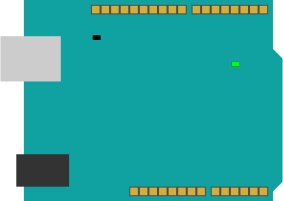
The Arduino UNO Q is a single board Debian Linux computer with a Qualcomm Dragonwing QRB2210 MPU and also an onboard STMicro STM32U585 MCU an Arm Cortex-M33 processor with 786KB of SRAM and 2MB of onboard flash storage. In addition it has an 8x13 LED matrix, along with a few other onboard LEDs.
Interfaces
| Interface | Hardware Supported | TinyGo Support |
|---|---|---|
| GPIO | YES | YES |
| UART | YES | YES |
| SPI | YES | YES |
| I2C | YES | YES |
| ADC | YES | YES |
| PWM | YES | Not yet |
Pins
| Pin | Hardware pin | Alternative names |
|---|---|---|
A0 |
PA4 |
ADC0 |
A1 |
PA5 |
ADC1, SPI1_SCK_PIN, SPI0_SCK_PIN |
A2 |
PA6 |
ADC2, SPI1_SDI_PIN, SPI0_SDI_PIN |
A3 |
PA7 |
ADC3, SPI1_SDO_PIN, SPI0_SDO_PIN |
A4 |
PC1 |
ADC4, D18 |
A5 |
PC0 |
ADC5, D19 |
D0 |
PB7 |
UART1_RX_PIN |
D1 |
PB6 |
UART1_TX_PIN |
D2 |
PB3 |
|
D3 |
PB0 |
|
D4 |
PA12 |
|
D5 |
PA11 |
|
D6 |
PB1 |
|
D7 |
PB2 |
|
D8 |
PB4 |
|
D9 |
PB8 |
|
D10 |
PB9 |
|
D11 |
PB15 |
|
D12 |
PB14 |
|
D13 |
PB13 |
|
D20 |
PB10 |
I2C0_SCL_PIN |
D21 |
PB11 |
I2C0_SDA_PIN |
LED |
PH10 |
LED3_R |
LED3_G |
PH11 |
|
LED3_B |
PH12 |
|
LED4_R |
PH13 |
|
LED4_G |
PH14 |
|
LED4_B |
PH15 |
|
UART_TX_PIN |
PG7 |
UART2_TX_PIN |
UART_RX_PIN |
PG8 |
UART2_RX_PIN |
I2C1_SCL_PIN |
PD12 |
|
I2C1_SDA_PIN |
PD13 |
Machine Package Docs
Documentation for the machine package for the Arduino UNO Q
Flashing
adb
To use the tinygo flash command to flash your Arduino UNO Q directly from your computer without an external monitor or keyboard, you must install the Android Debug Bridge (adb) tool.
You can obtain the adb command line tool for your platform here:
https://developer.android.com/tools/releases/platform-tools
Troubleshooting
Any troubleshooting info goes here.
Notes
The onboard LED matrix has a driver in the TinyGo drivers repo located here: https://github.com/tinygo-org/drivers/tree/release/unoqmatrix
For more examples and info about using the Arduino UNO Q with TinyGo, see the examples repo located here: https://github.com/tinygo-org/tinygo-arduino-unoq-examples